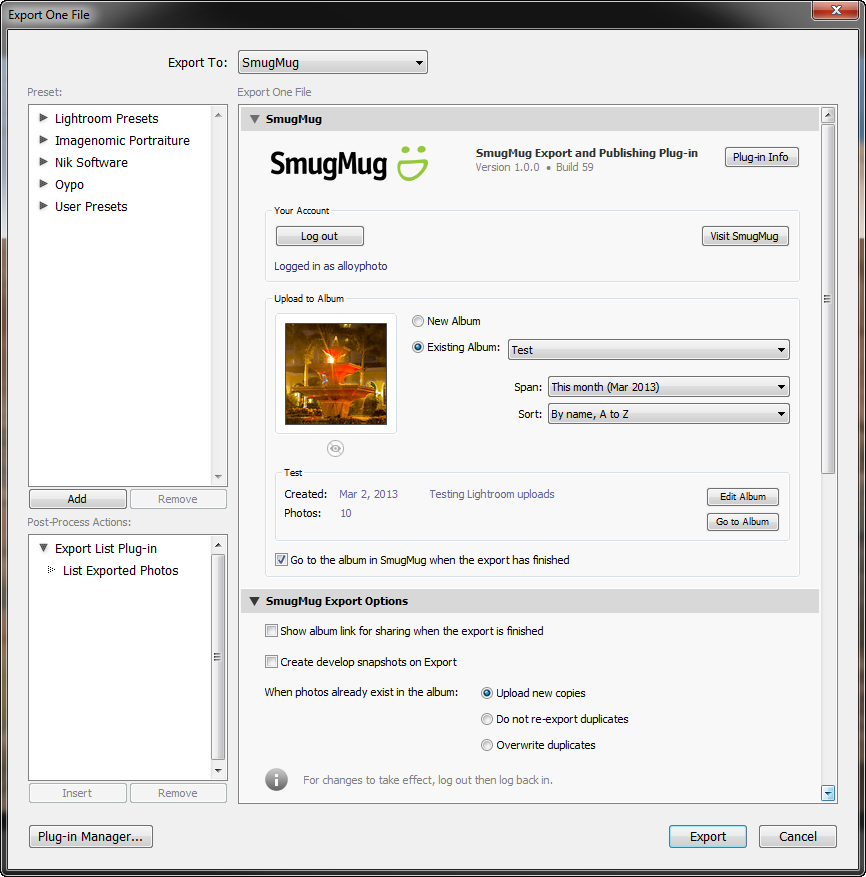
2.11.0Dec 1, 2019 (Latest Version) |
- Lightroom Classic 9 compatibility.
|
|---|
2.9.0Oct 23, 2017 |
- Added Lightroom 7 support.
|
|---|
2.8.0Apr 21, 2017 |
- Updated SmugMug API endpoints from HTTP to HTTPS - in some cases HTTP endpoints could cause upload errors.
- Fixed the "You are currently not logged in, or your session with SmugMug has expired" error when the saved authentication token expires or gets revoked.
- AutoUpdate - fixed a bug preventing the installation of plugin updates in some cases.
- Other minor improvements.
|
|---|
2.7.2Aug 22, 2016 |
- Fixed the issue with creating albums inside of a folder.
|
|---|
2.7.1Jun 30, 2016 |
- Fixed the "You are not logged in" error in some situations.
- Lightroom 5: Improved the visual indication of chunked uploads of larger files.
- Other minor fixes and improvements.
|
|---|
2.7.0Jun 18, 2016 |
- Fixed the issue with creating folders and albums.
- Create Albums: added Photo Protection options - Maximum Display Size, Download Buttons, Download Password.
- Album appearance options: added the Slideshow option.
- Folders and Albums: improved Visibility and Access options. Inherited visibility now displays correctly.
- Publish Service: Added Slideshow and Mobile APP links to the Gallery Links screen.
- Publish Service: Set Featured Image now works correctly.
- Other fixes and improvements.
|
|---|
2.6.1Apr 3, 2016 |
- Fixed the issue with creating folders at SmugMug.
- Fixed issues related to modifying appearance and privacy settings for albums and folders.
- Uploads now produce a human-readable error message when the file exceeds the account's size limit.
- Publish Service: fixed the issue with the "Import Albums" feature.
- Reclaim Photos: downloading photos in private albums now works correctly.
|
|---|
2.6.0Nov 20, 2015 |
- Several compatibility changes that follow the recent update of SmugMug's API.
- Completely redesigned the automatic update mechansim.
- Export Dialog: implemented a new option for reloading cached galleries in a single folder only.
- Updated the authentication mechanism for compliance with the new API.
- Implemented an option for manual authentication for situations when the web browser is unable to pass control back to Lightroom. This option also provides backward compatibility with Lightroom 2 and 3.
- Fixed the issue with uploading a single photo to multiple galleries.
- Fixed a rare phenomenon in which UTF8 encoding in watermark presets caused issues with the creation of editing of photo albums.
- Other stability and performance improvements.
|
|---|
2.5.2Jul 7, 2015 |
- Fixed another issue with creating galleries.
|
|---|
2.5.1Jul 2, 2015 |
- Fixed the issue with creating galleries.
- Other minor fixes.
|
|---|
2.5.0Jun 25, 2015 |
- Publish Service: album settings - added "Remove Person Info" option (Lightroom 6).
- Improved the image size validation mechanism. Now size validation works correctly when rendering uploads from smart previews and doing percentage-based resize (Lightroom 6).
- Lightroom 6: fixed internal error "attempt to compare nil with number" on export when using "Percentage" as the resize type.
- Publish Service: fixed the issue with using global watermarks in album settings.
- Reclaim Photos: fixed an occasional deadlock situation when running Reclaim Photos using multiple threads.
- Fixed the "Yielding across C/metamethod is not allowed" error when quickly switching between publish providers or export presets.
- The plugin handles slower connections better and automatically extends upload timeout value when necessary.
- Other minor bug fixes and improvements.
|
|---|
2.4.1Apr 21, 2015 |
- Export Dialog: fixed the issue with the gallery menu staying grayed out.
- Export Dialog: fixed a minor issue with the layout under Mac OS.
- Publish Service: Users are prompted to re-authenticate less often.
|
|---|
2.4.0Apr 12, 2015 |
- Export Settings: added low/high pixel threshold options for validading image size.
- Improved name sanitizing for exported files.
- Export Settings: added low/high pixel threshold options for validading image size.
- Publish Service: album-specific resolution settings didn't stick.
- Export Dialog: fixed a rare issue with retrieving galleries from the server.
- Fixed the issue with video uploads.
|
|---|
2.3.1Mar 5, 2015 |
- Publish Service: fixed the issue with creating galleries.
|
|---|
2.3.0Mar 5, 2015 |
- Export Dialog: fixed folder navigation
- Export Dialog: improved the album caching algorithm.
- SmugMug API: eliminated the use of deprecated data fields.
- Publish Service: album-specific resolution settings didn't stick.
- Export Settings: added low/high pixel threshold options for validading image size.
- Export Dialog: minor bug fixes
|
|---|
2.2.1Dec 10, 2014 |
- Publish Service: Improves support for watermarks when Lightroom presets are stored with the catalog
- Export Dialog: improved album caching
- Export Dialog: minor bug fixes
- Other minor improvements
|
|---|
2.2.0Nov 23, 2014 |
- Implemented "POODLE" (SSL Vulnerability) detection and remediation.
- Export Dialog: implemented persistent caching. Once loaded from the server, album information is stored locally for quick access.
- Export Dialog: new Quick Filter feature which enables you to search albums using a text string.
- Export Dialog: improved the layout.
- Export Dialog: implemented filtering by album date.
- New Album Dialog: Now you can paste the name of the currently selected folder or collection with a single click.
- Associate Images: Fixed the issue with recognizing only 100 images in an album.
- Other minor improvements.
|
|---|
2.1.1Jul 26, 2014 |
- Fixed: photos removed from published collections retain SmugMug metadata.
- Other minor fixes.
|
|---|
2.1.0Jun 29, 2014 |
- Fixed the issue with switching account information when working with multiple publishing services configured for different accounts.
- Publish Service: Fixed the "attempt to index local 'dialog'" error when creating folders.
- Fixed error 409 when trying to create a new gallery with a URL name which already exists.
|
|---|
2.0.7Jun 6, 2014 |
- Export Dialog: Fixed several layout issues specific to Mac OS.
|
|---|
2.0.6Jun 4, 2014 |
- Associate Images: Fixed the assertion error when images at SmugMug have no capture date information.
- Fixed the issue with republishing photos that were originally uploaded using an older version of the plugin.
- Fixed the "The requested resource no longer exists on the server" error when re-publishing albums that were deleted at SmugMug through the web browser.
- Implemented better sanitizing of gallery's Custom URL to suppress special characters.
|
|---|
2.0.5May 19, 2014 |
- Fixed: special characters in the account name may cause issues with folder operations.
|
|---|
2.0.4May 15, 2014 |
- Version 2.x is based on the new SmugMug API, which matches the hierarchial concept of the "New SmugMug" and gives more control over galleries and media files.
- Publish Service: Now you can use folders and sub-folders of unlimited nesting depth to organize your photo galleries.
- Export: The album list menu has been replaced with two drop-down menus. One contains a hierarchical list of all folders; the other shows all galleries within the selected folder.
- Performance has been greatly increased (particularly in the Export dialog) thanks to the new caching algorithm.
- Publish Service: Reclaim Photos - this feature enables you to download your photos hosted at SmugMug back to your computer and rebuild your publish service.
- The Gallery Properties dialog has been redesigned to match the dialog's layout at SmugMug.
- Other minor improvements and bug fixes.
|
|---|
1.3.2May 5, 2014 |
- Fixed SmugMug API compatibility issue - "Server returned error code 17 / invalid method".
|
|---|
1.3.1Apr 26, 2014 |
- Fixed the issue with creating albums when the first letter of the album name is in lower case.
- Other minor improvements.
|
|---|
1.3.0Jan 28, 2014 |
- Associate Images: greatly improved performance, particularly on very large catalogs.
- Associate Images: Now you can fine-tune association by File Number Suffix using pattern matching.
- Publish Service: Now you can assign Featured Images for your galleries.
- Implemented the ability to upload photos in the original format without any additional resizing or processing (as long as they are already in JPEG or TIFF format).
- Other minor improvements and bug fixes.
|
|---|
1.2.1Jan 2, 2014 |
- Fixed the "system error (AlbumID) (smugmug.albums.getInfo)" error when the plugin encounters a gallery that has been removed from SmugMug.
- Fixed the issue with renaming galleries.
- Other minor fixes and improvements.
|
|---|
1.2.0Dec 19, 2013 |
- Improved session management (the user is prompted to authorize less frequently).
- Improved the Automatic Update feature for future plugin versions.
- Other minor fixes and improvements.
|
|---|
1.1.6Nov 24, 2013 |
- Fixed: "attempt to index field '?'" when starting the plugin for the first time.
- Fixed: a minor layout issue in the "Publish Service Extras" section (Mac OS).
|
|---|
1.1.5Nov 12, 2013 |
- Improved validation of album names as per http://www.dgrin.com/showthread.php?t=239616.
- Fixed: In some rare scenarios the plugin may lose session with SmugMug.
- Fixed: "attempt to concatenate a table value" error in the Export Dialog when creating new albums.
|
|---|
1.1.4Nov 3, 2013 |
- Fixed the "attempt to call method actionButtonIntercepted" error when creating new albums.
- Fixed the issue with deleting photos and albums from the publish service.
|
|---|
1.1.3Oct 27, 2013 |
- Fixed the "?:0: attempt to concatenate a table value" during the activation.
- Improved the handling of expired authorization tokens.
- Other minor fixes and improvements.
|
|---|
1.1.2Aug 21, 2013 |
- Added support for the "new" SmugMug.
|
|---|
1.1.1Aug 4, 2013 |
- Fixed the issue with creating new albums.
|
|---|
1.1.0Aug 1, 2013 |
- Publish Service - added the ability to customize watermark and metadata settings for each individual album.
- Extras - New feature "Find Photos with Comments" enables you to quickly identify published photos that received online comments or ratings.
- Now you can password-protect your albums.
- Added the ability to customize various advanced options for your albums.
- Comment timestamps are calculated correctly based on your local timezone.
- Now the "Associate Images" feature with the "Capture Time" option works correctly.
- Other minor fixes and improvements.
|
|---|
1.0.3Jun 27, 2013 |
- Publish Service: Fixed the issue with renaming unpublished albums.
- Publish Service: Fixed the issue with custom image settings not getting applied to newly created albums.
- Export: Fixed the "Export with previous" feature after creating new albums.
- Better compatibility with Lightroom 5.
- Other minor fixes and improvements.
|
|---|
1.0.2Apr 25, 2013 |
- Fixed: By default, the authorization step requests a level of permissions that is insufficient to create new albums at SmugMug.
- Implemented validation for the current permission level at SmugMug.
- Imporoved error management.
|
|---|
1.0.1Apr 20, 2013 |
- Publish Service: now image settings (size, resolution, quality level, image format, color space) can be individually customized for each album.
- Publish Service: Check Photos now puts out-of-sync photos in the Quick Collection for your review.
- Publish Service: Fixed the issue with renaming unpublished albums.
- Publish Service: Fixed the issue with creating new albums.
- Fixed an issue with autenticating the user in some situations.
|
|---|
1.0.0Mar 3, 2013 | Initial release |
|---|